Control
You decide what is shared, with whom and for how long.
- Permissions per share: download, upload, delete, chat
- Expiry date, deactivated automatically afterwards
- Edit or end at any time under “My shares”
External Share
Provide folders and files on a dedicated share page: with a password, an expiry date and exactly the permissions you grant. Your recipients don’t need an account.

The difference
Attachments end up in other people’s inboxes, get forwarded and can never be called back. With External Share, the files stay with you. Your recipients only get access, and you decide what that looks like.
RE: RE: FW: Project documents Q4 (final_v3)
From: Project teamTo: partner@lawfirm-example.com, +4 more
Hi Ms Miller, here is everything again. Please ignore yesterday’s version, I’ll send the plans separately (too large).
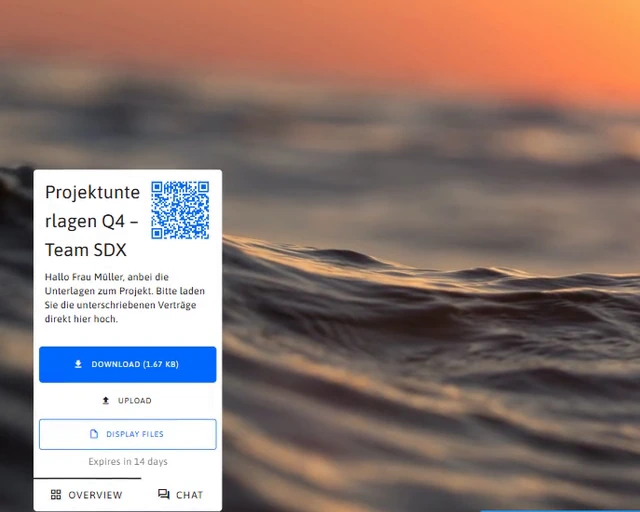
Project documents Q4 – Team SDX
From: Project team via SDXTo: partner@lawfirm-example.com
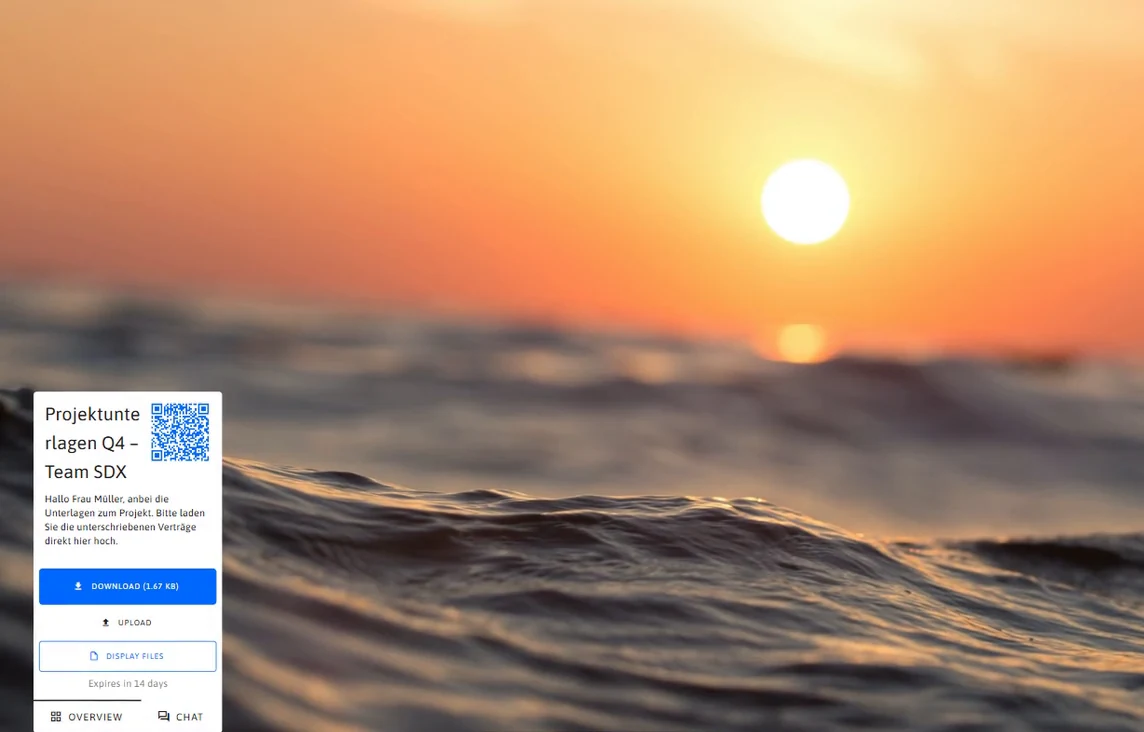
Hi Ms Miller, here are the project documents. Please upload the signed contracts directly here.
Project documents Q4 – Team SDX
From: Project team via SDXTo: partner@lawfirm-example.com
Hi Ms Miller, here are the project documents. Please upload the signed contracts directly here.
RE: RE: FW: Project documents Q4 (final_v3)
From: Project teamTo: partner@lawfirm-example.com, +4 more
Hi Ms Miller, here is everything again. Please ignore yesterday’s version, I’ll send the plans separately (too large).
Drag the slider to compare both ways.
How it works
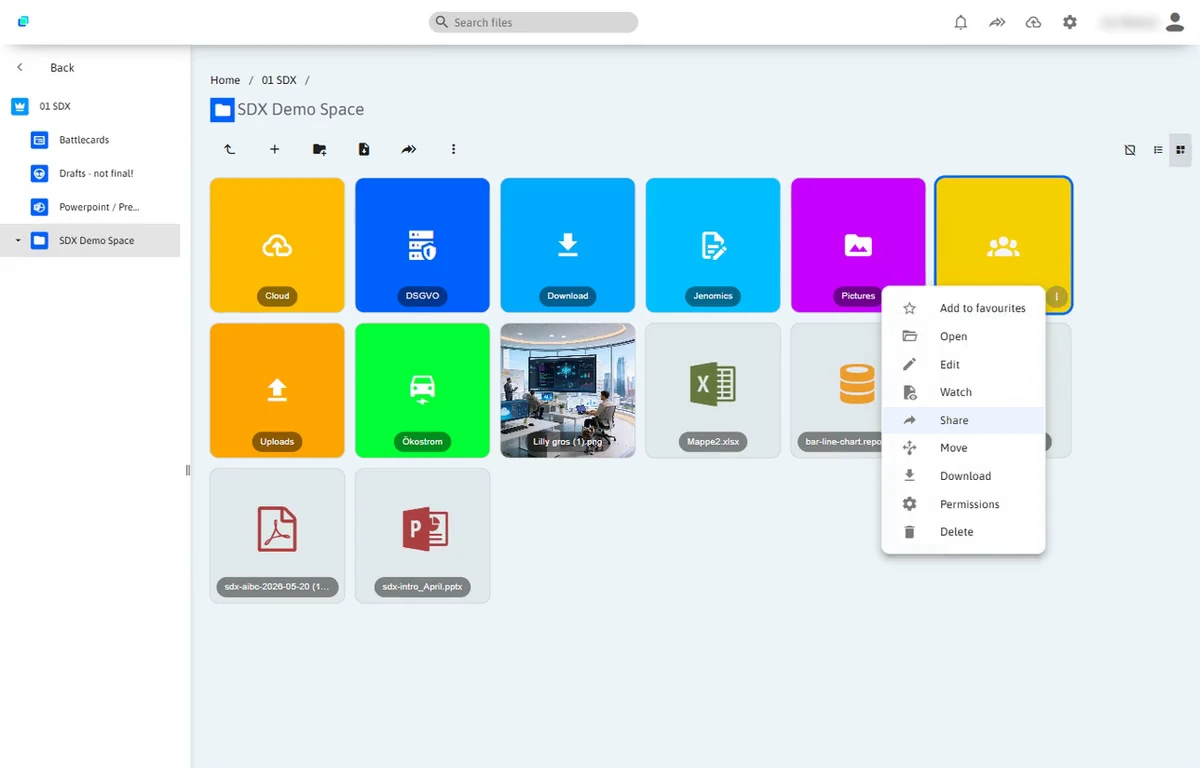
Straight from your folders in SDX, without a detour through a file transfer service.


For your recipients
Recipients open a page with your background, your message and exactly the features you have enabled. In the browser, on a computer or on a smartphone, with no account and no app.

ChatAnna Miller
Custom layouts
Title, description, background, font, logo and widgets: design each share the way it’s needed. From an offer with a cost calculator to a photo drop for the summer party.
All documents for our offer in one place. Valid until 30 November.
Does option B also work with a roller door? Then I’ll approve the offer today.
Example: For illustration purposes only.
Live previewYour benefits
Six reasons that make the difference in sales, finance and projects.
You decide what is shared, with whom and for how long.
How it worksYour data stays in Germany or in your own IT.
How it worksProvide once instead of sending large files again and again.
How it worksCollect files and answer questions in one place.
How it worksEvery share looks like your company.
How it worksNo account, no app, no training.
How it worksUse cases
From offers to event photos: wherever files need to leave the company or come in.
Offer and references on one page in your CI. You get notified as soon as the customer opens it, so you can follow up in time.
Files and widgets such as a cost calculator on one campaign page. Everything viewable right in the browser, no download.
Visitors scan the QR code at your stand and have your product documents on their smartphone instantly.
Partner information, contract templates and product data as a curated package that always stays up to date.
Provide invoice details password protected instead of as an attachment. The files are deleted automatically, e.g. after 60 days.
Share documents with funds, family offices or banks in a controlled way and close access again after the review.
Hand inspection reports, plans or measurement data to partners without hitting mailbox attachment limits.
Provide documents and get signed documents back through the same share, straight into your project folder.
Guests upload their photos straight from their smartphone via QR code. Everything lands in one folder.
Logos, images and press releases in one folder that stays up to date. As a link for editors or as a file list on your website.
Documents on a topic or an event, bundled for all participants.
And wherever you use a file transfer service today. Only secure and in your own cloud.
Integration
Embed a share as a file list on your website via link or widget. Replace a file in SDX and your website shows the new version right away. Without anyone having to edit the page.
SDXShare “Press kit”Global
Current materials for editors to download.
File list from SDX, always up to date
Features
Available in SDX today and set up in a few clicks.
Entire folders including subfolders that stay up to date automatically, or individual files.
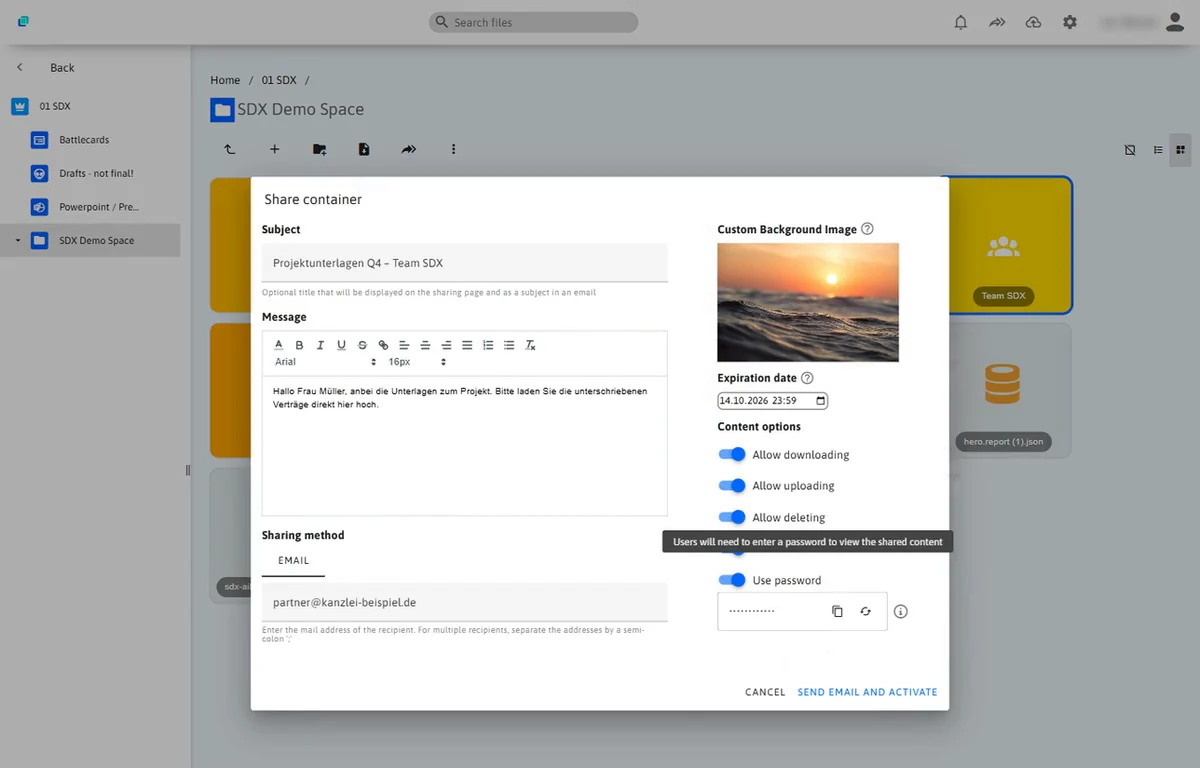
Set your own or have a secure one generated, copied in one click.
14 days by default and extendable at any time. You set the default in the global settings.
A formatted message that appears on the share page and in the email.
The invitation goes straight from SDX to one or more recipients.
Download, upload, delete and chat can be switched on individually for each share.
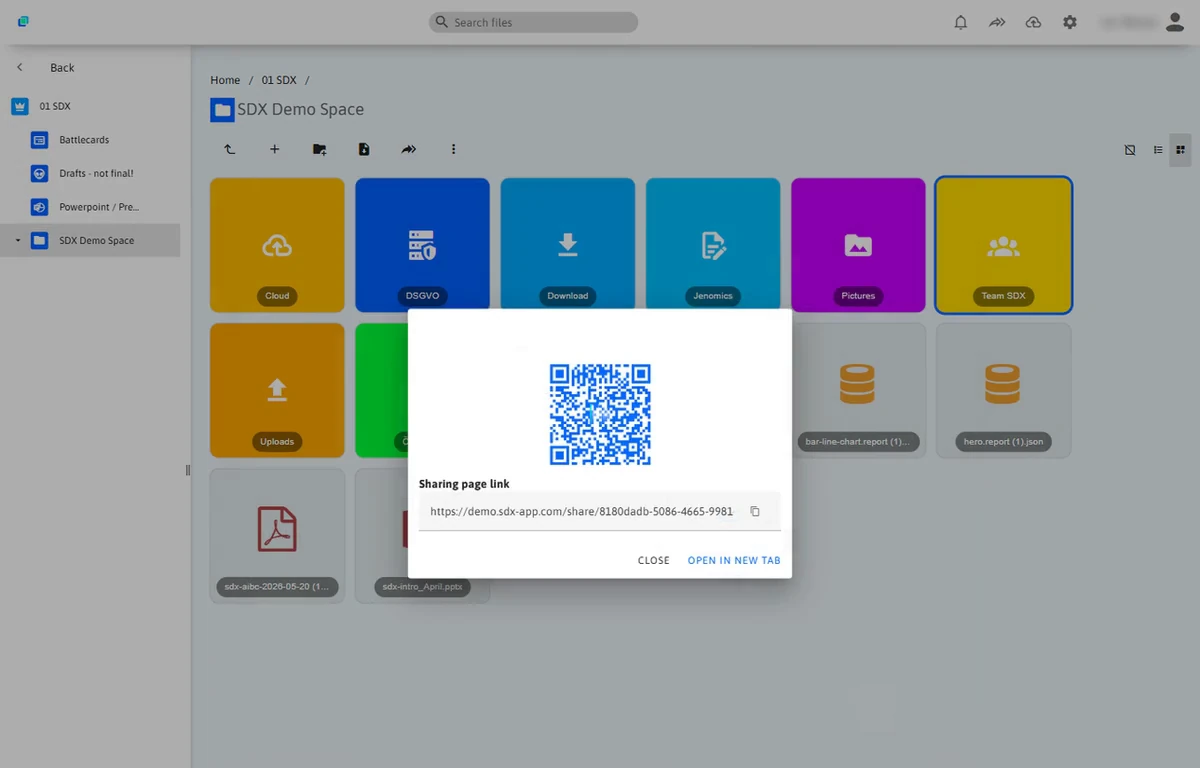
To pass on, print or use at your trade fair stand.
Recipients view files without downloading them.
Uploaded files land directly in the shared folder.
Answer questions where the files are. With your own display name, all chats in the overview.
You find out automatically when your share is opened, downloaded or added to.
Change files, texts and permissions after sharing. The link stays the same.
External people get time-limited access that ends automatically.
Create shares for yourself as a user or for the whole organisation.
All shares and chats at a glance, with filters: copy the link, edit or end.
Background image, font, logo and layouts with widgets per share. Plus a QR code in your colour, your own email texts and a default expiry in the portal.
Private or global
Create a share for yourself as a user or globally for the whole organisation. That way, materials such as press kits or partner packages don’t depend on a single person.
Private: The share belongs to your user.
Notifications
SDX notifies you automatically whenever your share is accessed. You know when your offer was opened and can follow up at exactly the right moment.
Security
Your files never leave your SDX. Recipients only see what you share, and only for as long as you want.
Audit logAction: external sharing
Frequently asked questions
The essentials of sharing with SDX at a glance. Your question isn’t here? Write to us.
No. Recipients open the share via the invitation email, the link or the QR code and enter the password, if one is set. No account or app is needed.
All files you store in SDX. Recipients view common formats such as PDFs or images directly in the browser, without downloading them.
Yes. The share page runs in the browser. Via QR code, recipients open it directly on their smartphone, for example to upload photos.
No. Every share gets a long, random address. You can also protect it with a password and an expiry date.
14 days by default. You can adjust the date for each share and extend it later; administrators set the default in the global settings. After it expires, the share is deactivated automatically.
In your SDX: hosted in Germany or on your own servers. The files are not handed over to an external transfer service.
Yes. Under “My shares” you see all your shares and can edit them, copy the link or delete the share.
Yes. You can adjust files, title, message and permissions at any time. The link stays the same and your recipients see the new version right away.
Yes. SDX notifies you automatically when your share is accessed, for example when an offer is opened or a file is downloaded. So you can follow up at the right moment.
Exactly what you allow. You switch download, upload, delete and chat on or off for each share individually.
Yes. When you share a folder, recipients see its current content including subfolders. If you share a selection, it stays exactly those files.
Yes. You set the title, description, background, font and logo for each share. With layouts you add widgets such as a cost calculator, an upload area or a chat.
Yes. You can embed a share as a file list on your website via link or widget. Replace a file in SDX and the website shows the new version automatically.
Yes. You create shares either privately for your user or globally for the whole organisation. Global shares don’t depend on a single person.
Demo
We’ll show you External Share in a short demo, using an example from your day-to-day work.